Best GB WhatsApp Privacy Settings 2025: Step-by-Step
GB WhatsApp Privacy Settings explained: Hide online status, freeze last seen, disable forwarded tags, and more. Full guide with steps.
If you’ve been using GB WhatsApp or thinking about switching from the official app, privacy is probably one of your biggest concerns. With so many advanced features packed into GB WhatsApp, it’s easy to get lost in the settings and not know what’s protecting you—or what isn’t. That’s why this guide breaks down everything you need to know about GB WhatsApp privacy settings in 2025, in simple terms. Whether you’re curious about hiding your online status or locking specific chats, we’ll help you understand how to take control of your privacy.
Unlike the official WhatsApp, GB WhatsApp is a modified version created by third-party developers. It comes with tons of customization options and additional privacy features, like hiding blue ticks, freezing your last seen, or even password-protecting individual chats. These extras are what make it so popular. But here’s the catch: since GB WhatsApp isn’t an official app, it doesn’t follow the same strict security and privacy standards. That’s why it’s so important to know which settings to use and what risks to be aware of before diving in.
In this complete guide, we’ll walk you through all the key privacy options in GB WhatsApp. You’ll learn how to use them effectively to stay under the radar, keep nosy friends at bay, and maintain as much control as possible over your personal information. By the end, you’ll have a clear picture of how GB WhatsApp handles privacy—and whether it’s the right fit for you.
What Makes GB WhatsApp Privacy Settings Different?
Unlike the official WhatsApp, GB WhatsApp offers highly customizable privacy controls. These let you manage how your activity appears to others and give you more flexibility over your account.
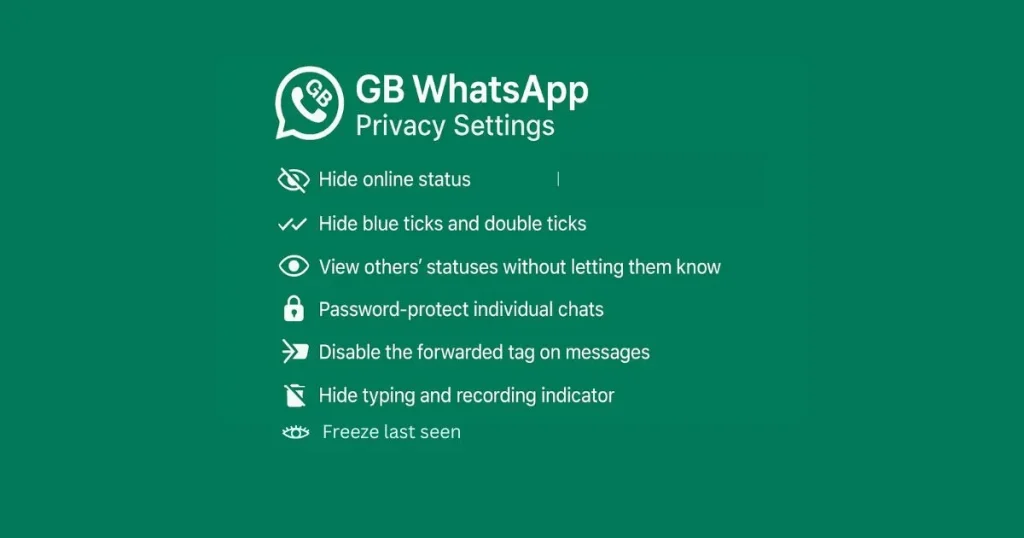
Here are some of the standout privacy features in GB WhatsApp:
- Hide online status.
- Freeze last seen.
- Hide blue ticks and double ticks.
- View others’ statuses without letting them know.
- Password-protect individual chats.
- Disable the forwarded tag on messages.
- Hide typing and recording indicator.
- Anti-delete messages.
We’ll dive deeper into each one and show you how to enable them.
How to Hide Online Status in GB WhatsApp?
Why It’s Important?
Hiding your online status gives you the freedom to browse your chats without others knowing when you’re active. It’s ideal for avoiding unnecessary interruptions or expectations to reply immediately.
How to Enable It?
- Open GB WhatsApp and tap the three dots menu in the top right corner.
- Go to Privacy > Hide Online Status.
- Toggle it on.
How to Freeze Last Seen in GB WhatsApp?
Why It’s Important?
“Last seen” reveals your activity pattern to others. Freezing it protects your privacy by showing a fixed time, no matter when you’re actually online.
How to Enable It?
- Go to Settings > Privacy.
- Tap Freeze Last Seen.
- Activate the feature.
How to Hide Blue Ticks and Double Ticks in GB WhatsApp?
Why It’s Important?
Blue ticks confirm message reading, and double ticks show delivery. Disabling them helps you manage conversations on your own terms without feeling pressured.
How to Enable It?
- Navigate to Settings > Privacy > Contacts.
- Turn off Blue Ticks to hide message read receipts.
- Turn off Second Tick to stop showing message delivery status.
How to Hide Status View in GB WhatsApp?
Why It’s Important?
Sometimes you may want to check someone’s status updates discreetly. This feature lets you stay informed without appearing in their viewer list.
How to Enable It?
- Go to Settings > Privacy > Status.
- Enable Hide View Status.
How to Lock Individual Chats in GB WhatsApp?
Why It’s Important?
Even if your phone is unlocked, some chats may contain private or sensitive information. Locking them adds an extra layer of security.
How to Enable It?
- Long press on the chat you wish to lock.
- Tap the lock icon at the top.
- Set a PIN, password, or fingerprint lock.
How to Disable Forwarded Tag in GB WhatsApp?
Why It’s Important?
The “Forwarded” tag can make it obvious that the message wasn’t written by you. Disabling it gives you more control over how your forwarded messages appear.
How to Enable It?
- Go to Settings > Privacy.
- Turn on Hide Forwarded Tag.
How to Hide Typing and Recording Indicators in GB WhatsApp?
Why It’s Important?
These indicators reveal when you’re composing a message or voice note. Hiding them allows you to communicate without feeling rushed or watched.
How to Enable It?
- Open Settings > Privacy > Contacts.
- Turn on Hide Typing.
- Enable Hide Recording for audio messages.
How to Enable Anti-Delete Messages in GB WhatsApp?
Why It’s Important?
This feature ensures that even if someone deletes a message for everyone, you’ll still be able to see it. It helps you avoid missing important information.
How to Enable It?
- Go to Settings > Privacy > Contacts.
- Activate Anti-Revoke or Anti-Delete Messages.
Also See
Comparison: GB WhatsApp vs WhatsApp Privacy Features
| Privacy Feature | GB WhatsApp | |
|---|---|---|
| Hide Online Status | Not available | Available |
| Freeze Last Seen | Not available | Available |
| Hide Blue Ticks | Limited | Fully customizable |
| Hide Typing/Recording | Not available | Available |
| Hide Forwarded Tag | Not available | Available |
| Lock Individual Chats | Not available | Available |
| Anti-Revoke Messages | Not available | Available |
Is GB WhatsApp Safe to Use?
Although GB WhatsApp provides excellent privacy features, it’s important to consider these risks:
- No official support: GB WhatsApp is not endorsed by WhatsApp Inc.
- Security concerns: It may not provide the same level of encryption as the official app.
- Account bans: Using GB WhatsApp can lead to your WhatsApp account being temporarily or permanently banned.
To reduce risks, download GB WhatsApp only from trusted sources and use a secondary phone number if possible.
Your account could be banned by WhatsApp for using third-party apps (see WhatsApp’s official FAQ).
Conclusion
At the end of the day, GB WhatsApp offers some powerful privacy tools that give you more control than the official app. From hiding your online activity to protecting individual chats with a password, these settings can make your messaging experience feel safer and more personal.
If you found this guide helpful, why not share it with friends or family who are also curious about GB WhatsApp? Chances are, they’ve wondered about these privacy settings too and could benefit from knowing how to keep their chats more secure. You can even start a conversation about whether GB WhatsApp is worth it compared to the original app—it’s a topic that sparks a lot of opinions these days.
Also, don’t stop here! Check out our other in-depth blogs on GB WhatsApp where we cover everything from its most exciting features to how it compares with official WhatsApp and even tips for safe usage in 2025. Staying informed is the first step to staying secure in the digital world. So keep exploring, keep learning, and make sure your messaging habits work for you.
Frequently Asked Questions
Can I hide my online status on GB WhatsApp?
Yes, GB WhatsApp allows you to hide your online status so that others won’t know when you’re active.
Is GB WhatsApp end-to-end encrypted?
No. While GB WhatsApp has more privacy features, it lacks official security measures like end-to-end encryption.
Can I lock my chats on GB WhatsApp?
Yes, you can lock individual chats using a password or fingerprint lock in GB WhatsApp.
Is GB WhatsApp legal to use?
GB WhatsApp violates WhatsApp’s terms of service. While not illegal, your account could be banned for using it.
Can I read deleted messages on GB WhatsApp?
Yes, with the Anti-Delete Messages feature enabled, GB WhatsApp lets you view messages even if the sender deletes them for everyone.
Will people know if I view their status secretly on GB WhatsApp?
No, if you enable the “Hide View Status” option in GB WhatsApp, you can watch others’ status updates without appearing in their viewer list.