
In this guide
GB WhatsApp APK Download (v18.80)
Here are the details of the latest release. Version 18.80 is built by AlexMods and installs as a separate app, so your official WhatsApp stays exactly where it is.
- Latest version
- 18.80
- Android
- 5.0 or later
- Package name
com.gbwhatsapp- Developer
- AlexMods
- Price
- Free
- Category
- Communication
- Last updated
- November 5, 2026
What You Need Before You Install
- An Android phone or tablet running Android 5.0 or later
- About 500 MB of free storage for the app, your chats and media
- A phone number that can receive an SMS or a call
- Permission to install apps from outside Google Play (you'll turn this on during the install)
You don't need to root your phone.
GB WhatsApp v18.80
Version 18.80 · Android 5.0 or laterWhat's New in GB WhatsApp v18.80
Version 18.80 is mainly a protection and stability update. These are the main changes listed for this release:
- ProtectionImproved anti-ban protection. The developer has strengthened the anti-ban system to lower the chance of WhatsApp spotting the mod and to cut down on short one-hour bans.
- Fix“Version expired” fix. Some phones showed the expired message too early. This build fixes it.
- FixFewer crashes, smoother app. Bug fixes make chats load faster and media sharing more stable.
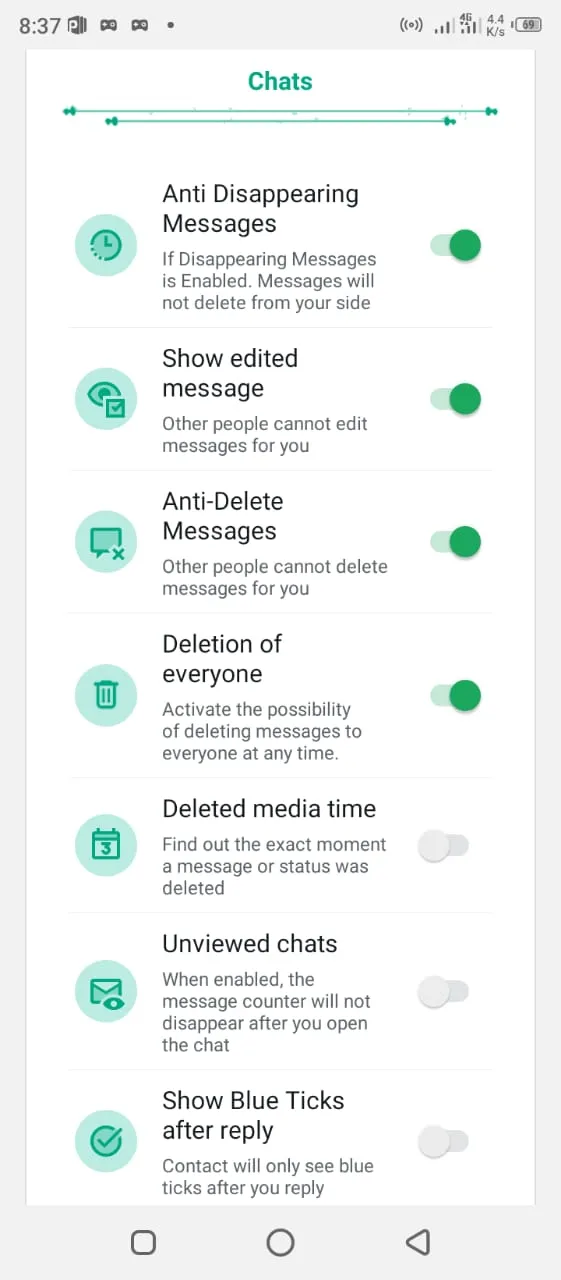
- PrivacyEdited message history. Show edited message lets you see the original text after someone edits a message.
- PrivacyAnti Disappearing Messages. Keep your chats even when the other person turns on disappearing messages.
- DesignMore themes and fonts. New theme and font options, with smoother animations across the app.
Already on an older version? You can install this one over it without losing chats; the update steps are further down.
What Is GB WhatsApp?
GB WhatsApp (also called GBWhatsApp or WhatsApp GB) is a modified copy of WhatsApp. It runs on the same WhatsApp network, so you chat with the same contacts and groups. What changes is the app itself: it adds a big settings menu for privacy, design and automation.
WhatsApp and Meta don't make it. Independent developers do, and several of them release their own builds under the GB name. The best known are AlexMods, HeyMods and FouadMods. Their menus look a little different, but the main features are the same. Because it's a modded app, it isn't on Google Play; you install it from an APK file.
To see which build and version you have, open the app and go to Settings → Help → App info. You'll need this later when you update.
GB WhatsApp Features
You'll find most of these options in the mod settings, which open from the three-dot menu on the home screen.
Hide Online Status and Freeze Last Seen
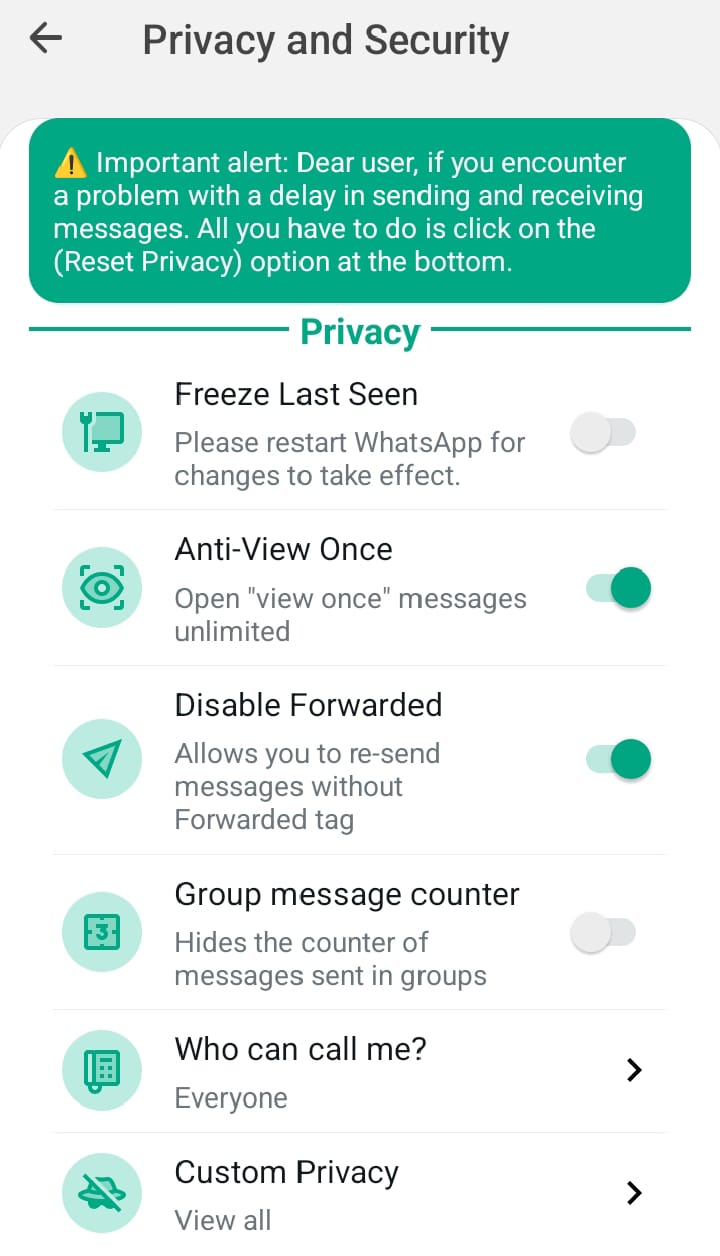
Read and reply without showing “online”, or freeze your last seen at one fixed time. You can also hide blue ticks, the second grey tick, and the “typing…” and “recording…” labels. Custom Privacy lets you set different rules for each contact or group, and Who can call me? limits incoming calls.
Find it Privacy and Security
Anti-Delete and Anti-View Once
When someone deletes a message for everyone, you still see it. The same works for statuses, and Anti-View Once lets you open view-once photos again. Only messages that already reached your phone can be kept. This build also adds two more chat-saving options, listed in what's new.
Find it Chats and Privacy and Security
Themes, Fonts and App Icons
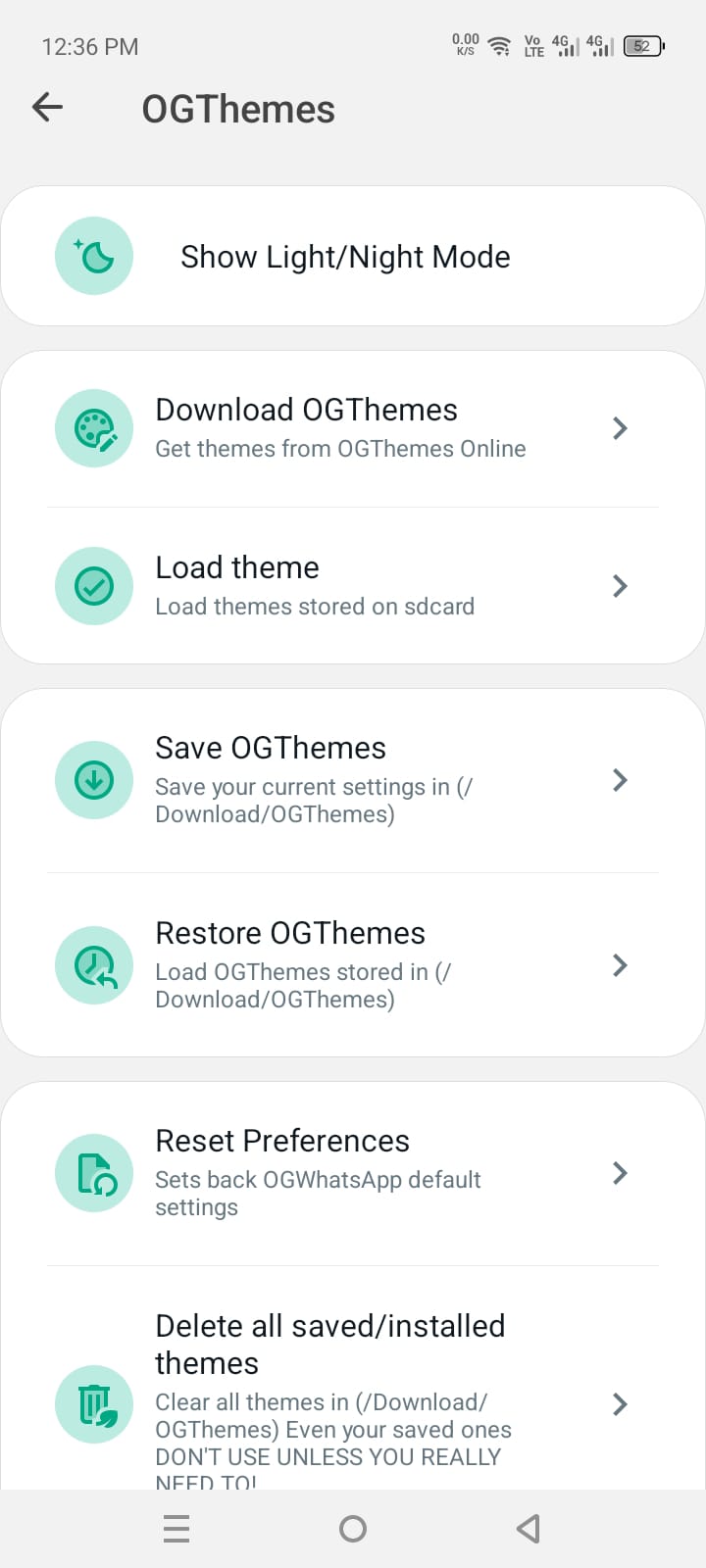
Download ready-made themes, switch between light and night mode, or design your own. You can change chat bubbles, tick styles, fonts, wallpapers and the app icon. Save your current theme first so you can go back in one tap.
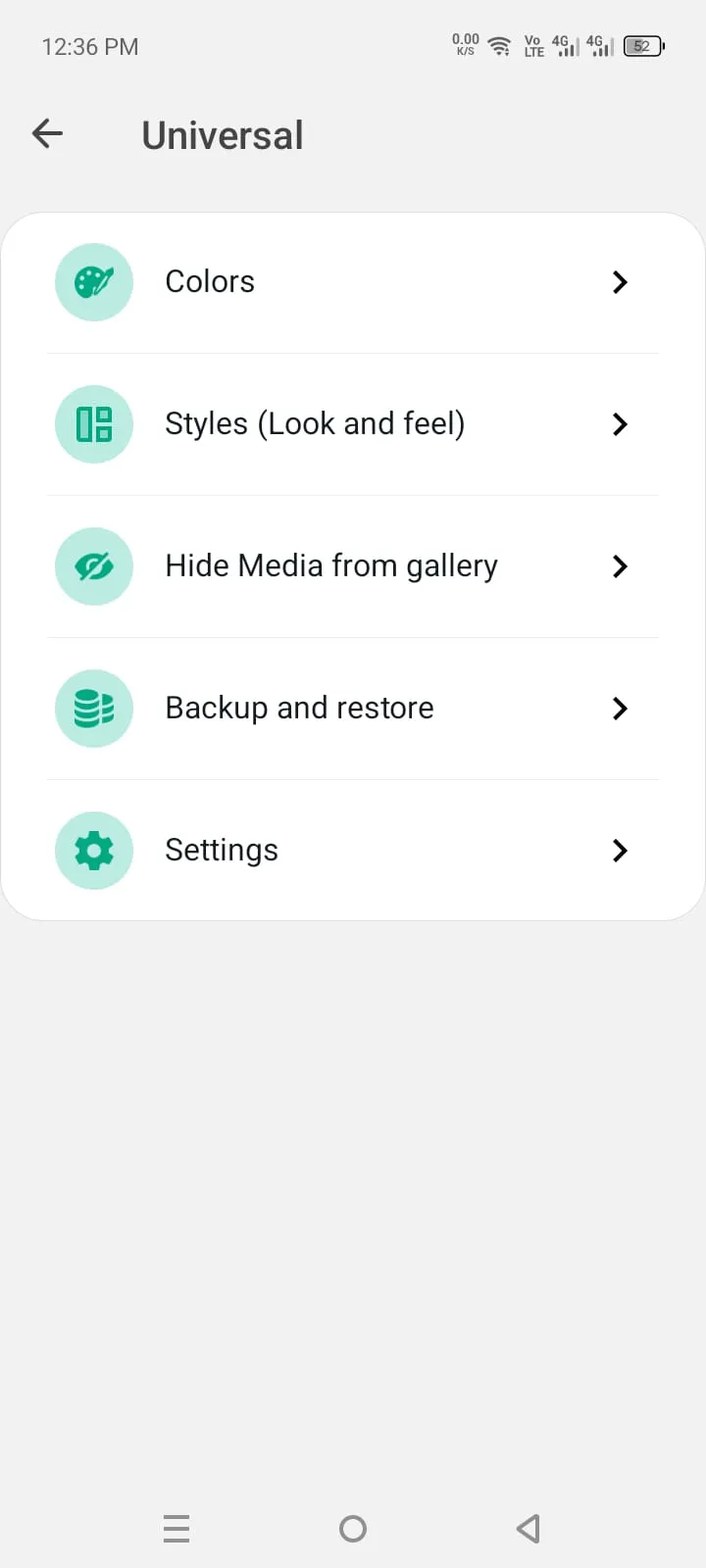
Find it OGThemes and Universal → Colors / Styles
Auto Reply and Message Scheduler
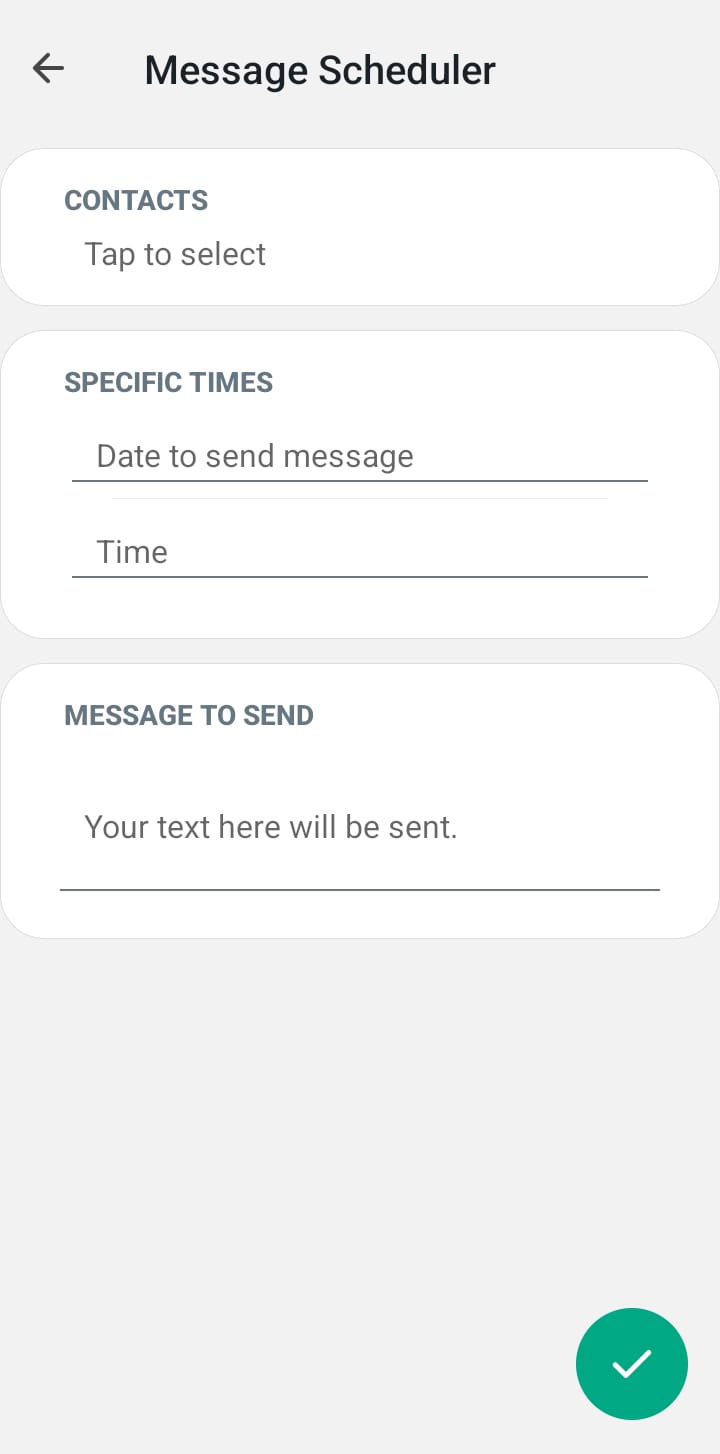
Auto reply answers messages for you when you're busy, and you can limit it to certain contacts, groups or keywords. The scheduler sends a message at a date and time you choose, which is handy for birthdays and reminders.
Better Photo and Video Sharing
Photos and videos go out with less compression, so they stay sharper. You can send more pictures in one go and save any contact's status straight to your gallery.
DND Mode and App Lock
DND mode cuts the internet for GB WhatsApp only, so you can go quiet without turning off mobile data. App lock and chat lock protect the whole app, or single chats, with a PIN, pattern or fingerprint.
Two Accounts on One Phone
GB WhatsApp installs as its own app, so you can keep official WhatsApp on one number and GB WhatsApp on another, on the same phone.
Small Extras That Add Up
Show Blue Ticks after reply shows people you've read their message only once you answer. Disable Forwarded removes the “Forwarded” tag. There's also a group message counter, Unviewed chats to keep a chat marked as unread, and Hide Media from gallery.
GB WhatsApp vs Official WhatsApp
Both apps open the same chats and contacts. The difference is how much control you get, and who looks after the app.
| Feature | GB WhatsApp | Official WhatsApp |
|---|---|---|
| Hide online status | Yes, plus Freeze Last Seen | Yes |
| Hide blue ticks | Yes, and you still see other people's | Only by turning read receipts off both ways |
| Hide “typing…” | Yes | No |
| See deleted messages | Yes | No |
| Save statuses | Built in | No |
| Themes and icons | Theme store, fonts and app icons | Basic chat themes; more with Meta's paid WhatsApp Plus |
| Photo and video quality | Less compression | Compressed, with an HD option |
| Large files | Higher photo and video limits | Documents up to 2 GB |
| Auto reply | Yes | Away messages in WhatsApp Business only |
| Message scheduler | Yes | No |
| App and chat lock | Yes | Yes |
| Two accounts | Yes, next to the official app | Yes, inside the app |
| Updates | Manual APK install | Automatic from Google Play |
| Backup | On your phone only | Google Drive |
| Support | None | WhatsApp Help Center |
| Account risk | Can be restricted | None |
The official app has caught up in a few areas, such as app lock and two accounts. GB WhatsApp still leads on privacy tricks, anti-delete and design.
Who Should Use GB WhatsApp?
A good fit if you
- Want more privacy than the official settings allow
- Like to change how your apps look
- Want to keep deleted messages and save statuses
- Need a second number on the same phone
Better to skip if you
- Can't risk losing access to your main number
- Talk to customers on WhatsApp (WhatsApp Business is the safer choice)
- Rely on Google Drive backups
How to Download and Install GB WhatsApp on Android
Planning to use the number that's already on your WhatsApp? Make a backup first so you can bring your chats across (see backup and restore).
- Download the APK. Tap Download APK on this page. The file saves to your Downloads folder.
- Open the file. Tap the download notification, or open Files → Downloads and tap the APK.
- Allow the install. The first time, Android asks for permission. Tap Settings, turn on Allow from this source and go back. On Android 7 or older, turn on Unknown sources in Settings → Security instead.
- Install. Tap Install. If Google Play Protect shows a warning, read it before you choose to continue.
- Verify your number. Open the app, agree to the terms, enter your number and type the 6-digit code you get by SMS or call.
- Restore your chats. If the app finds a backup, tap Restore. Then add your name and photo.
When you're done, turn the install permission off again for your browser or file manager.
How to Back Up, Restore and Move Your Chats
GB WhatsApp saves backups on your phone, not on Google Drive. That makes one habit important: make a fresh backup before you install, update or switch apps.
How to Back Up GB WhatsApp
- Open Settings → Chats → Chat backup and tap Back up.
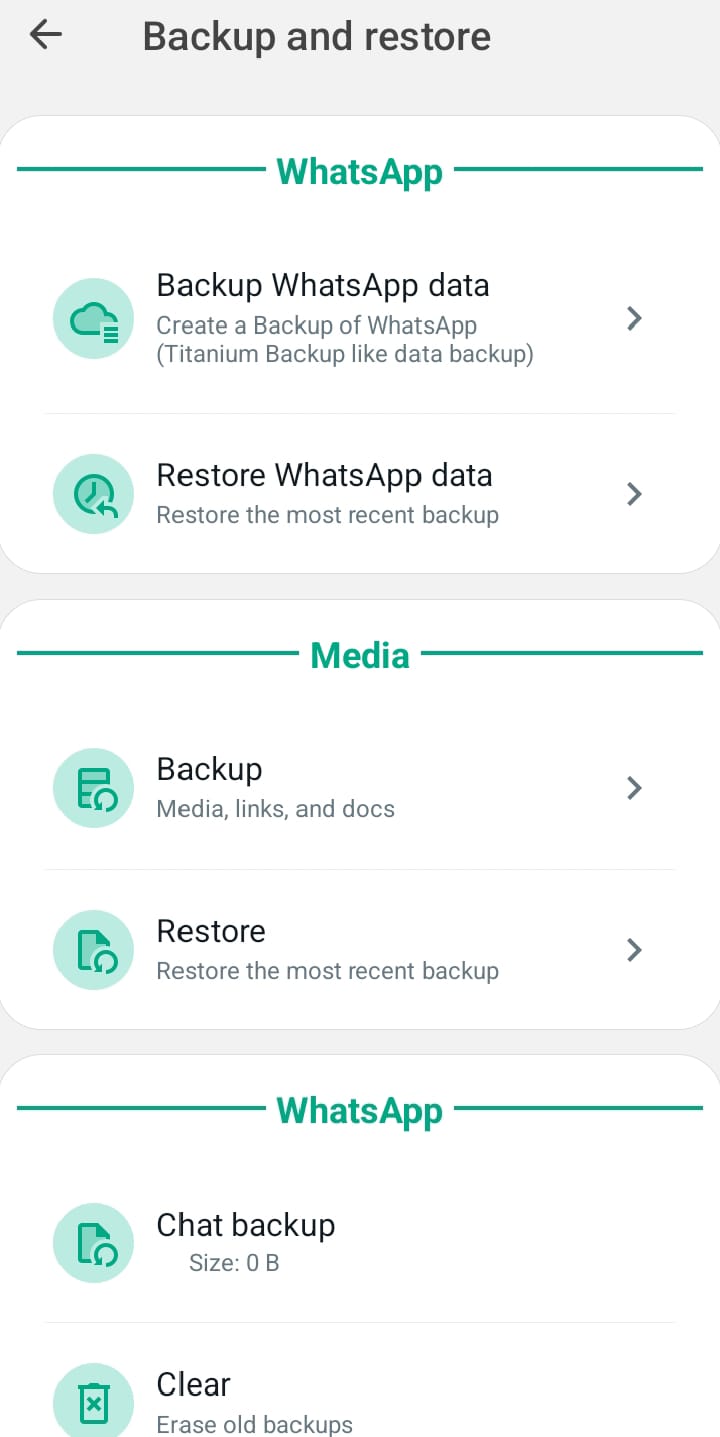
- For a full copy that also keeps your settings and themes, go to Universal → Backup and restore → Backup WhatsApp data.
- Copy the GBWhatsApp folder (usually in Android/media/com.gbwhatsapp) to your computer or cloud storage. That way a copy survives even if your phone is reset.
Move Chats from WhatsApp to GB WhatsApp
- In official WhatsApp, go to Settings → Chats → Chat backup and tap Back up. This also saves a copy on your phone.
- In your file manager, open Android/media/com.whatsapp/WhatsApp (on older phones, the WhatsApp folder in internal storage).
- Copy the Databases and Media folders into GB WhatsApp's folder, usually Android/media/com.gbwhatsapp/GBWhatsApp. Some builds ask you to rename the copied WhatsApp folder to GBWhatsApp instead.
- Install GB WhatsApp, verify the same number and tap Restore.
Switch from GB WhatsApp Back to Official WhatsApp
- Make a backup in GB WhatsApp (Settings → Chats → Chat backup).
- Copy the GBWhatsApp folder into Android/media/com.whatsapp and rename it to WhatsApp. On older phones, just rename the GBWhatsApp folder in internal storage.
- Install official WhatsApp from Google Play, verify the same number and tap Restore.
WhatsApp only promises safe restores for backups made in its own app, so a backup from GB WhatsApp may not always move across. Keep a copy of the folder until you've checked your chats.
How to Update GB WhatsApp Without Losing Chats
GB WhatsApp doesn't update through Google Play. You install the new APK over the old one, and your chats stay where they are.
- Check your current version in Settings → Help → App info.
- Make a fresh backup (see the steps above).
- Download the new APK from this page. Stay with the same build, for example AlexMods to AlexMods, so it installs as an update.
- Open the file and tap Update. Don't uninstall the old app first.
- Open GB WhatsApp and check that your chats and settings are all there.
Each new build also moves GB WhatsApp onto a newer copy of official WhatsApp, so you get WhatsApp's latest features along with the mod's own fixes. See what's new in v18.80 for this release.
Is GB WhatsApp Safe to Use?
GB WhatsApp is an unofficial app, and that brings two real trade-offs: a risk to your account, and less certainty about your privacy.
Can WhatsApp Ban Your Account?
Yes. WhatsApp says apps like GB WhatsApp break its Terms of Service. If it spots one, you first see a “Temporarily banned” message with a timer. If you keep using the mod after that, the ban can become permanent. Anti-ban protection lowers the chance of being caught, but no version can promise a ban won't happen (WhatsApp Help Center).
Is GB WhatsApp Legal?
For most people it's a rules problem, not a legal one. The practical risk is the account restriction above, not trouble with the law.
What About Your Privacy?
WhatsApp can't check how a modded build handles your data, and neither can you. Keep passwords, bank details and ID documents out of any modded app.
How to Lower the Risk
- Use GB WhatsApp on a second number, not your main one.
- Keep the app updated to the latest build.
- Back up often, so a ban never costs you your chats.
- Install only from a source you trust.
Common GB WhatsApp Problems and Fixes
“App Not Installed” Error
Usually the download didn't finish, the phone is low on storage, or the new file is a different build from the one you have. Download the file again, free up some space, and use the same build as your current app. If it still fails, back up and then remove the old app.
“This Version Has Expired”
Mod builds stop working after a while and ask you to update. Install the latest APK over the old one, as shown in the update steps. Your chats stay.
Verification Code Not Received
Check the country code and number, and make sure the SIM has signal. Then wait for the timer to end before you tap Resend SMS or Call me. Asking for too many codes in a row adds longer waits.
“Temporarily Banned” or “You Need the Official WhatsApp”
Both messages mean WhatsApp has blocked unofficial apps on that number. Trying another mod usually brings the same message back. Move your chats with the switch back to official WhatsApp steps.
Notifications Not Showing
First make sure DND mode inside GB WhatsApp is off. Then allow notifications for the app (Android 13 and newer ask separately) and set its battery use to Unrestricted.
App Crashing or Freezing
Restart your phone, then clear the app's cache in Settings → Apps → GB WhatsApp → Storage. Don't tap Clear data unless you have a recent backup, because it wipes your chats.
Backup Not Found
First, make sure you verified the same number that made the backup. Then check that the files are in GB WhatsApp's folder and that the backup came from the same or an older version of the app.
GB WhatsApp Old Versions
Some people go back to an older release because it runs better on an older phone or keeps a layout they like. Older builds miss later fixes, so only downgrade when the latest one doesn't work for you. Android won't install an older version over a newer one, so you'll have to remove the app first. Also, a backup made by a newer version may not restore in an older one.
See the version list and the full steps on our GB WhatsApp old versions page.
GB WhatsApp for PC and iPhone
GB WhatsApp for PC (Windows and Mac)
There's no desktop version, but you can run the Android APK in an emulator:
- Install an Android emulator such as BlueStacks or LDPlayer from its official website.
- Download the GB WhatsApp APK on your computer.
- Drag the APK into the emulator window, or use its Install APK button.
- Open GB WhatsApp in the emulator and verify your number.
Emulators use a lot of memory. If you only want WhatsApp on a computer, the official desktop app or WhatsApp Web is lighter.
GB WhatsApp for iPhone
GB WhatsApp only works on Android. APK files can't run on iOS, so any “GB WhatsApp for iPhone” download isn't the real app.
GB WhatsApp Pro and Other Alternatives
These apps share most of GB WhatsApp's features and differ mainly in design and extras.
| App | Best known for |
|---|---|
| GB WhatsApp Pro | Another build released under the GB name, with nearly the same features |
| FM WhatsApp | FouadMods' build, known for deep customization |
| YO WhatsApp | One of the oldest mods, with a clean look and lots of themes |
| OGWhatsApp | Made mainly for running a second account |
| WhatsApp Plus (mod) | A theme-focused mod; not the same as Meta's paid WhatsApp Plus |
| WhatsApp Business | Official app with away messages, quick replies and a business profile |
GB WhatsApp Pros and Cons
Pros
- More privacy controls than the official app
- See deleted messages and save statuses
- Full control over themes, fonts and icons
- Auto reply and a message scheduler
- Runs next to official WhatsApp
Cons
- Your account can be restricted
- Manual updates, no Google Play
- Backups stay on your phone
- No official support
GB WhatsApp FAQs
Is GB WhatsApp free?
Yes. It's free to download and use, with no subscription.
Can I use the same number on GB WhatsApp and official WhatsApp at the same time?
No. A number can be active in only one of the two apps on a phone. When you verify it in GB WhatsApp, the official app logs out. Use a second number if you want both.
Can GB WhatsApp read someone else's chats?
No. It only changes your own app. It can't open other people's chats or see what happens on their phones.
Do voice and video calls work in GB WhatsApp?
Yes. Calls, groups, statuses and media all work as normal, because GB WhatsApp uses the same WhatsApp network.
How do I move GB WhatsApp to a new phone?
Make a backup on the old phone and copy the GBWhatsApp folder to the same place on the new phone. Then install GB WhatsApp, verify your number and tap Restore.